
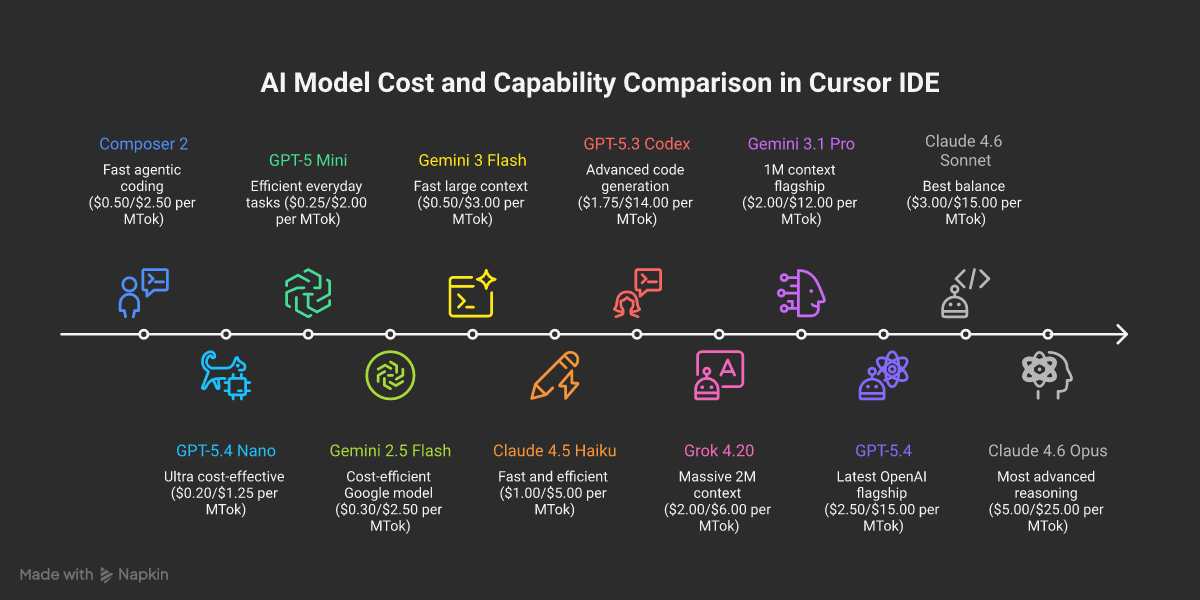
Cursor IDE offers an extensive variety of AI models that power its intelligent features. Understanding the differences between these models, their capabilities, and when to use each one can significantly enhance your productivity and workflow. This guide will help you navigate Cursor's AI model options and make informed decisions based on your specific needs.
Understanding Cursor's Pricing Structure
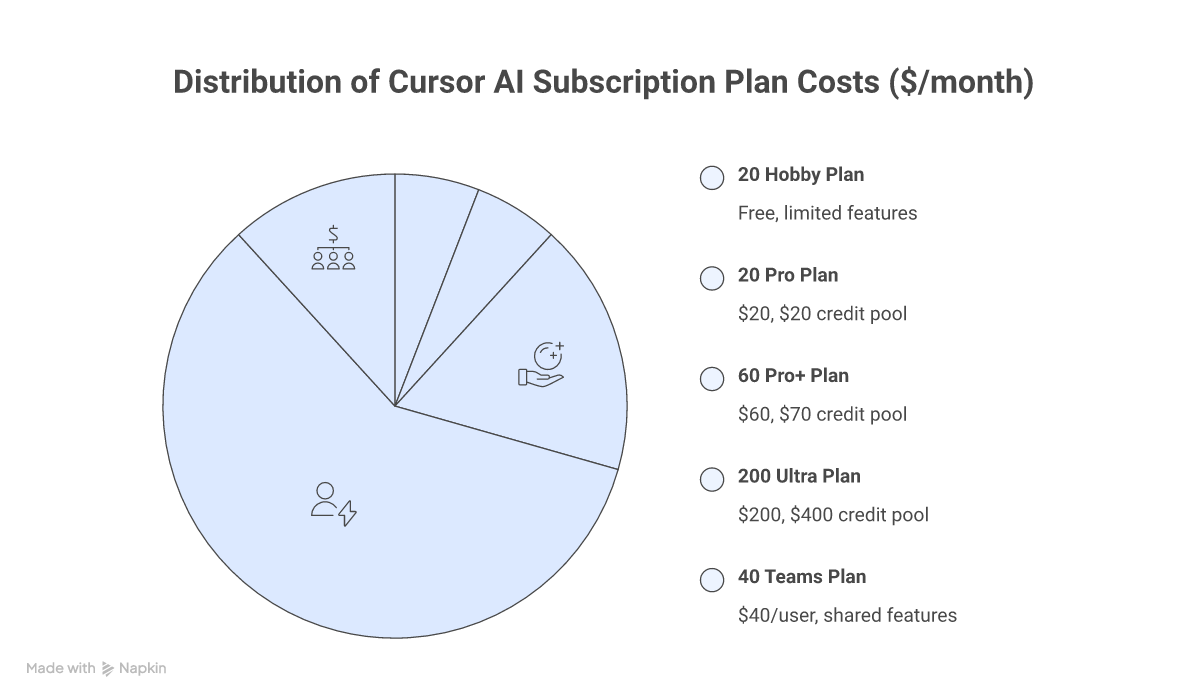
Cursor has evolved to a credit-based pricing system, giving you flexible access to a wide range of AI models across multiple plans:
Subscription Plans
| Plan | Price | Credit Pool | Key Features |
|---|---|---|---|
| Hobby | Free | Limited | Limited Agent requests and Tab completions |
| Pro | $20/month | $20/month | Unlimited Tabs, all frontier models, cloud agents |
| Pro+ | $60/month | $70/month | 3x credits vs Pro |
| Ultra | $200/month | $400/month (2x value) | 20x usage, priority access to new features |
| Teams | $40/user/month | Per-user credits | Shared rules, centralized billing, SSO |
| Enterprise | Custom | Pooled usage | Invoice billing, SCIM, audit logs, admin controls |
How Credits Work
Each paid plan includes a monthly credit pool that depletes based on which AI models you use. Different models consume credits at different rates based on their token pricing.
- Auto Mode: Unlimited usage — Cursor selects the optimal model balancing intelligence, cost, and reliability
- Manual Model Selection: Draws from your credit pool at each model's per-token rate
- Pool Reset: Credits reset monthly and do not roll over
- Overage: If your pool runs out, you can still use Auto mode or purchase additional credits
Max Mode
Max Mode extends context windows to the maximum a model supports and enables deeper analysis capabilities. It adds a 20% upcharge on individual plans (different rates for Teams/Enterprise).
- Context: Extended to maximum supported by each model (up to 2M tokens)
- Tool calls: Up to 200 tool calls without continuation prompts
- Best for: Complex problems requiring extensive reasoning and large codebase analysis
Auto + Composer Pool Pricing
When using Auto mode or Composer 2, Cursor applies pooled pricing:
- Input + Cache Write: $1.25 per million tokens
- Output: $6.00 per million tokens
- Cache Read: $0.25 per million tokens
Comprehensive Model Comparison
Based on the latest information from Cursor's official documentation, here are all available models. Featured models (visible by default) are marked with ★ — all other models can be enabled in Settings > Models.
Claude Models (Anthropic)
| Model | Context Window | Input ($/MTok) | Output ($/MTok) | Cache Read ($/MTok) | Capabilities | Best For |
|---|---|---|---|---|---|---|
| ★ Claude 4.6 Opus | 200k / 1M | $5.00 | $25.00 | $0.50 | Agent, Thinking | Most advanced reasoning, 1M context with no surcharge |
| Claude 4.6 Opus (Fast) | 200k | $30.00 | $150.00 | $3.00 | Agent, Thinking | Ultra-fast premium reasoning (research preview) |
| ★ Claude 4.6 Sonnet | 200k / 1M | $3.00 | $15.00 | $0.30 | Agent, Thinking | Best balance of capability and cost |
| Claude 4.5 Sonnet | 200k | $3.00 | $15.00 | $0.30 | Agent, Thinking | Strong reasoning, 2x cost over 200k |
| Claude 4.5 Opus | 200k | $5.00 | $25.00 | $0.50 | Agent, Thinking | Deep reasoning specialist |
| Claude 4.5 Haiku | 200k | $1.00 | $5.00 | $0.10 | Agent | Fast and cost-efficient |
| Claude 4 Sonnet | 200k | $3.00 | $15.00 | $0.30 | Agent, Thinking | Reliable previous-gen reasoning |
| Claude 4 Sonnet 1M | 1M | $6.00 | $22.50 | $0.60 | Agent, Thinking | Large context processing, 2x cost over 200k |
OpenAI Models
| Model | Context Window | Input ($/MTok) | Output ($/MTok) | Cache Read ($/MTok) | Capabilities | Best For |
|---|---|---|---|---|---|---|
| ★ GPT-5.4 | 272k / 1M | $2.50 | $15.00 | $0.25 | Agent, Thinking | Latest flagship, configurable reasoning, 1M in Max Mode |
| GPT-5.4 Mini | 272k | $0.75 | $4.50 | $0.075 | Agent | Fast and affordable GPT-5.4 variant |
| GPT-5.4 Nano | 272k | $0.20 | $1.25 | $0.02 | Agent | Ultra cost-effective processing |
| ★ GPT-5.3 Codex | 200k | $1.75 | $14.00 | $0.175 | Agent, Thinking | Advanced code generation and architecture |
| GPT-5.2 Codex | 200k | $1.75 | $14.00 | $0.175 | Agent, Thinking | Strong coding capabilities |
| GPT-5.2 | 200k | $1.75 | $14.00 | $0.175 | Agent, Thinking | Versatile reasoning and coding |
| GPT-5.1 Codex | 200k | $1.25 | $10.00 | $0.125 | Agent, Thinking | Reliable code generation |
| GPT-5.1 Codex Max | 200k | $1.25 | $10.00 | $0.125 | Agent | Extended tool usage variant |
| GPT-5.1 Codex Mini | 200k | $0.25 | $2.00 | $0.025 | Agent, Thinking | Budget-friendly with 4x rate limits |
| GPT-5 | 200k | $1.25 | $10.00 | $0.125 | Agent, Thinking | Proven reasoning and coding |
| GPT-5 Fast | 200k | $2.50 | $20.00 | $0.25 | Agent, Thinking | Speed-optimized at 2x price |
| GPT-5 Mini | 200k | $0.25 | $2.00 | $0.025 | Agent | Efficient for everyday tasks |
| GPT-5-Codex | 200k | $1.25 | $10.00 | $0.125 | Agent, Thinking | Original GPT-5 coding specialist |
Google Models
| Model | Context Window | Input ($/MTok) | Output ($/MTok) | Cache Read ($/MTok) | Capabilities | Best For |
|---|---|---|---|---|---|---|
| ★ Gemini 3.1 Pro | 1M | $2.00 | $12.00 | $0.20 | Agent, Thinking | Latest flagship, excellent value |
| Gemini 3 Pro | 1M | $2.00 | $12.00 | $0.20 | Agent, Thinking | Strong reasoning capabilities |
| Gemini 3 Pro Image Preview | 1M | $2.00 | $12.00 | $0.20 | Agent, Thinking, Image | Native image generation |
| Gemini 3 Flash | 1M | $0.50 | $3.00 | $0.05 | Agent, Thinking | Fast and affordable large context |
| Gemini 2.5 Flash | 1M | $0.30 | $2.50 | $0.03 | Agent, Thinking | Most cost-efficient Google model |
Cursor Models
| Model | Context Window | Input ($/MTok) | Output ($/MTok) | Cache Read ($/MTok) | Capabilities | Best For |
|---|---|---|---|---|---|---|
| ★ Composer 2 | 200k | $0.50 | $2.50 | $0.20 | Agent | Everyday agentic coding at lowest cost |
| Composer 1.5 | 200k | $3.50 | $17.50 | $0.35 | Agent | Previous-gen Cursor model |
| Composer 1 | 200k | $1.25 | $10.00 | $0.125 | Agent | Legacy Cursor model |
Other Models
| Model | Context Window | Input ($/MTok) | Output ($/MTok) | Cache Read ($/MTok) | Capabilities | Best For |
|---|---|---|---|---|---|---|
| ★ Grok 4.20 (xAI) | 200k / 2M | $2.00 | $6.00 | $0.20 | Agent, Thinking | Large-scale processing, 2M extended context |
| Kimi K2.5 (Moonshot) | 128k | $0.60 | $3.00 | $0.10 | Agent | Budget-friendly alternative |
Understanding Model Behavior Patterns
Thinking vs Non-Thinking Models
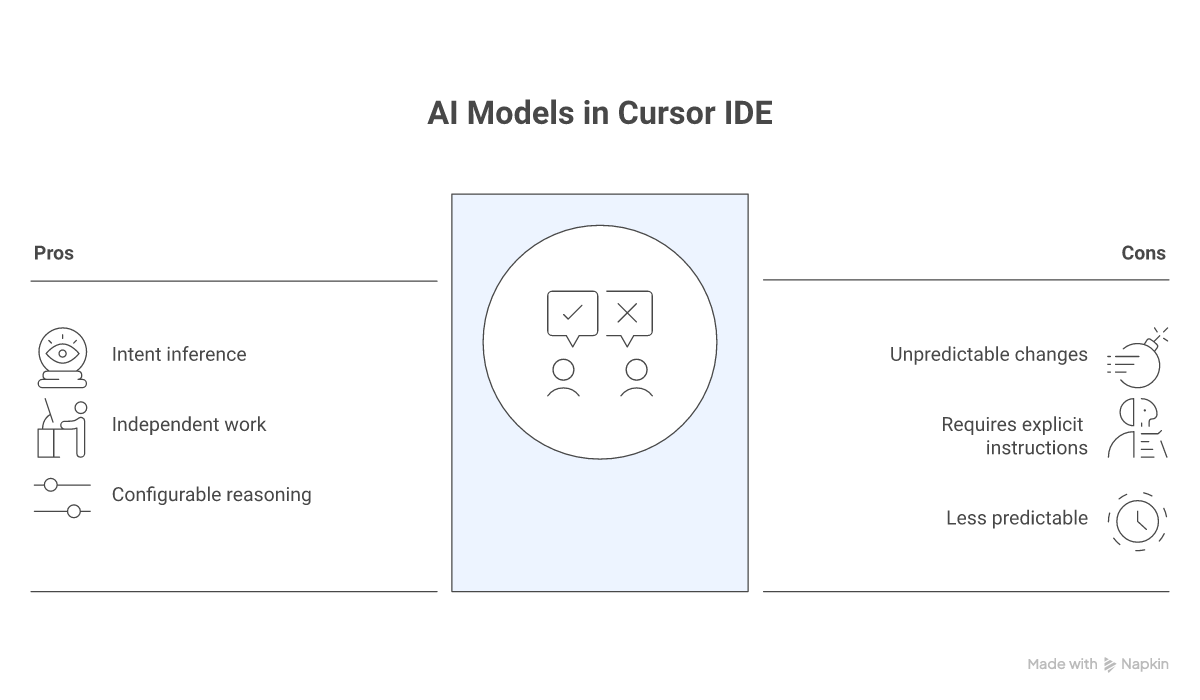
Thinking Models (Claude 4.6 Sonnet, GPT-5.3 Codex, GPT-5.4, etc.):
- Infer your intent and plan ahead
- Make decisions without step-by-step guidance
- Ideal for exploration, refactoring, and independent work
- Can make bigger changes than expected
- GPT-5.4 offers configurable reasoning effort across five levels (none, low, medium, high, xhigh)
Non-Thinking Models (Composer 2, GPT-5 Mini, etc.):
- Wait for explicit instructions
- Don't infer or guess intentions
- Ideal for precise, controlled changes
- More predictable behavior
Model Assertiveness Levels
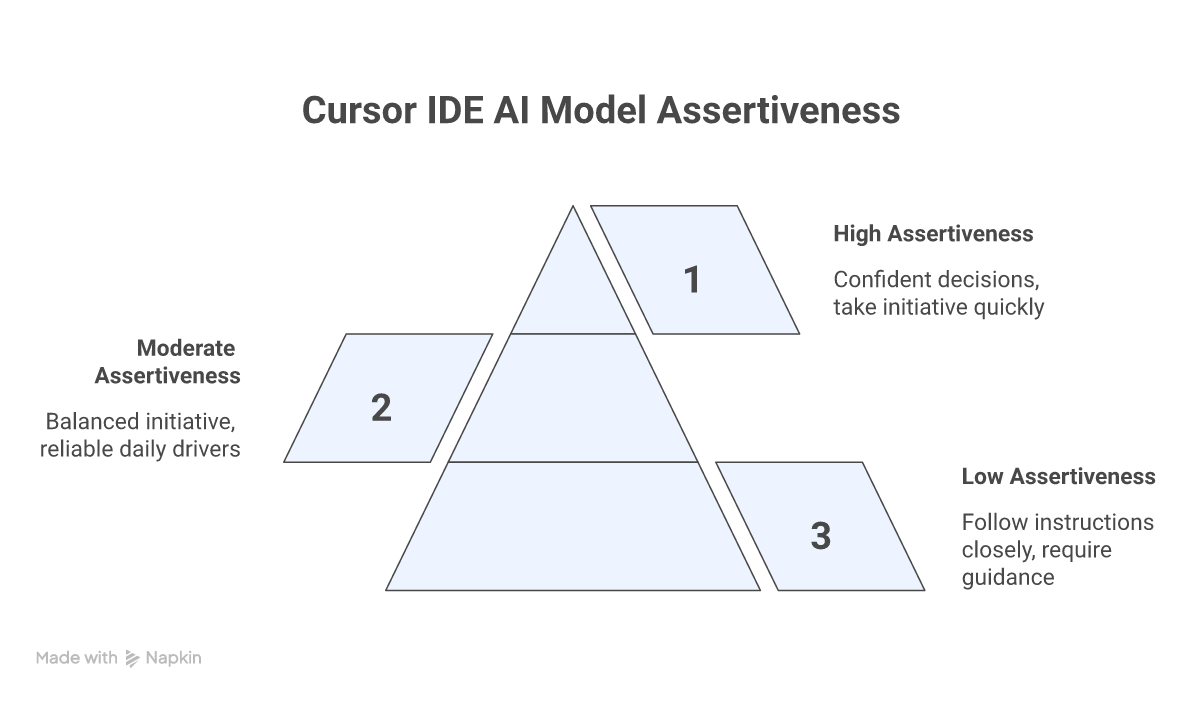
High Assertiveness (Claude 4.6 Opus, GPT-5.4, Gemini 3.1 Pro):
- Confident and make decisions with minimal prompting
- Take initiative and move quickly
- Great for rapid prototyping and exploration
Moderate Assertiveness (Claude 4.6 Sonnet, GPT-5.3 Codex, Grok 4.20):
- Balanced approach to initiative
- Good for everyday coding tasks
- Reliable daily drivers
Low Assertiveness (Composer 2, GPT-5 Mini, budget models):
- Follow instructions closely
- Require more explicit guidance
- Perfect for precise, well-defined tasks
Max Mode: Enhanced Capabilities
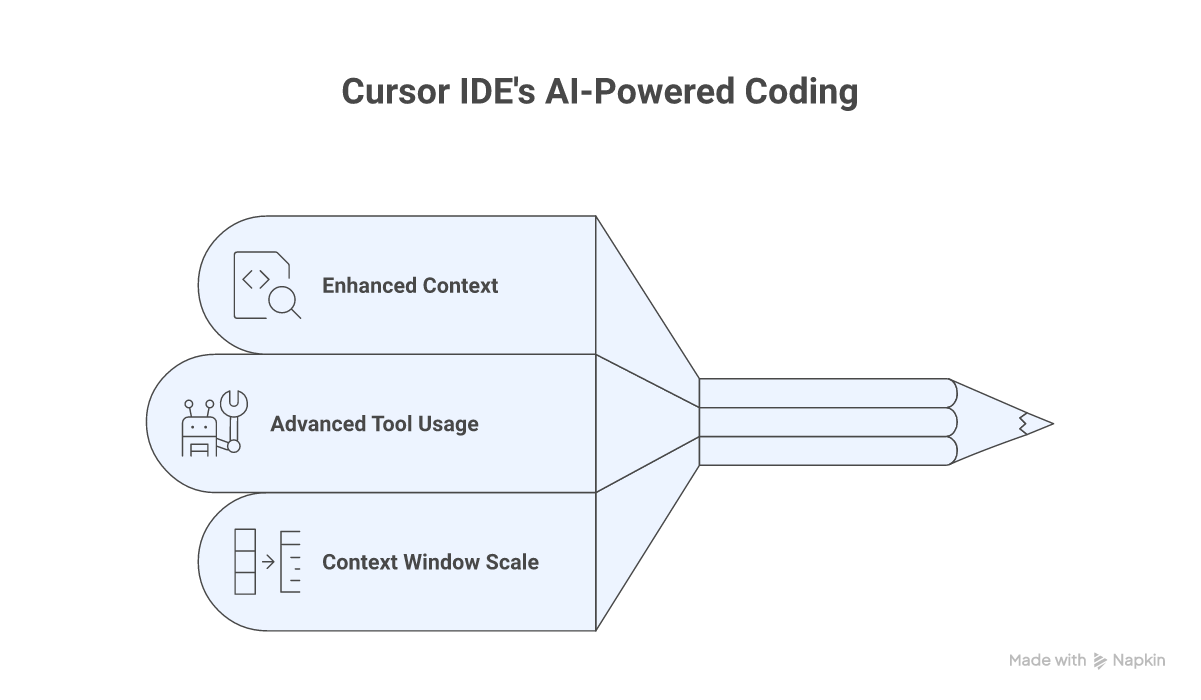
Max Mode unlocks the full potential of Cursor's AI models with:
Enhanced Context
- Larger context windows: Up to 2M tokens for Grok 4.20, 1M for Claude 4.6 Opus and GPT-5.4
- Better file reading: Up to 750 lines per file read
- Massive codebase support: Handle entire frameworks and repositories
Advanced Tool Usage
- 200 tool calls: Without asking for continuation
- Deep analysis: Extensive code exploration
- Complex reasoning: Multi-step problem solving
Context Window Scale Examples
- 10k tokens: Small utility libraries (Underscore.js)
- 60k tokens: Medium libraries (most of Lodash)
- 120k tokens: Full libraries or framework cores
- 200k tokens: Complete web frameworks (Express)
- 1M tokens: Major framework cores (Django without tests)
- 2M tokens: Large monorepos and multi-service projects
Model Selection Guide
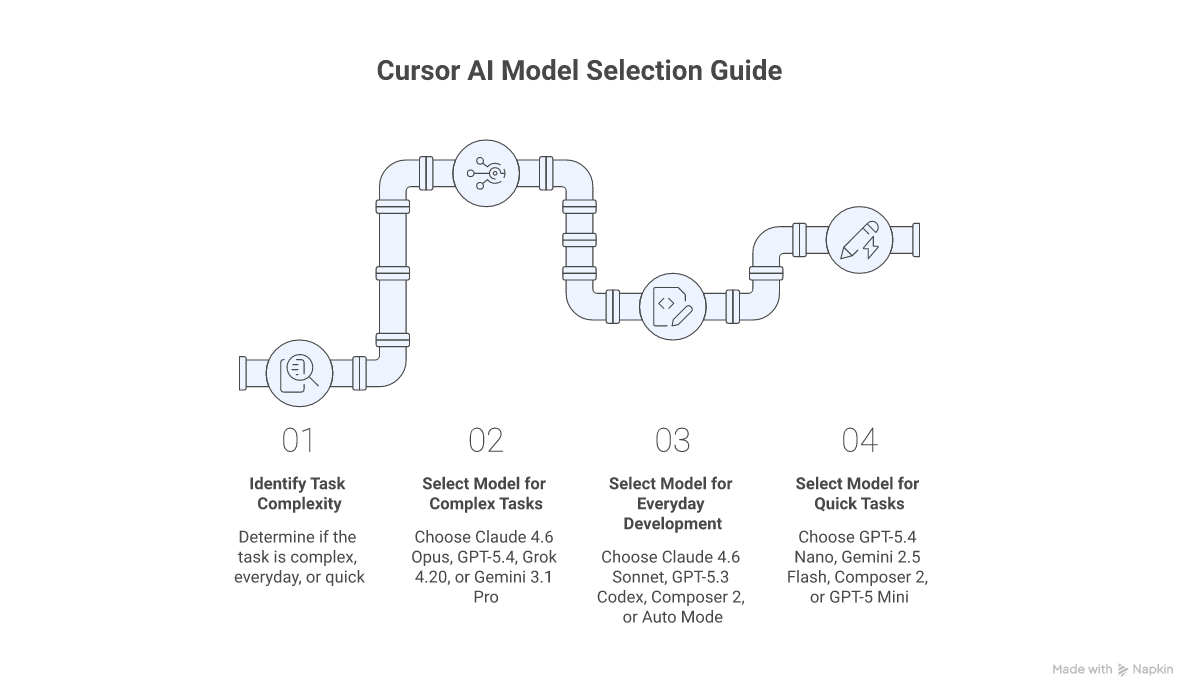
Based on Task Complexity
For Most Complex Tasks:
- Claude 4.6 Opus — Most advanced reasoning with 1M context and no long-context surcharge
- GPT-5.4 — Latest OpenAI flagship with configurable reasoning and 1M Max Mode context
- Grok 4.20 — Massive 2M context window for enormous codebases
- Gemini 3.1 Pro — Excellent reasoning with native 1M context
For Everyday Development:
- Claude 4.6 Sonnet — Best balance of intelligence and cost
- GPT-5.3 Codex — Strong code generation and architecture design
- Composer 2 — Cursor's own model optimized for agentic coding at the lowest cost
- Auto Mode — Let Cursor pick the optimal model automatically (unlimited usage)
For Quick Tasks:
- GPT-5.4 Nano — Ultra cost-effective at $0.20/$1.25 per MTok
- Gemini 2.5 Flash — Most affordable Google model at $0.30/$2.50 per MTok
- Composer 2 — Fast agentic completions at $0.50/$2.50 per MTok
- GPT-5 Mini — Efficient at $0.25/$2 per MTok
Based on Working Style
If you prefer control and clear instructions:
- Composer 2 (predictable agentic coding)
- GPT-5 Mini (controlled, efficient)
- GPT-5.1 Codex Mini (budget-friendly with reasoning)
If you want the model to take initiative:
- Claude 4.6 Opus (proactive deep reasoning)
- GPT-5.4 (configurable reasoning effort)
- Gemini 3.1 Pro (balanced initiative with large context)
- Grok 4.20 (aggressive processing with 2M context)
Based on Context Needs
Large Codebase Work:
- Grok 4.20 (2M extended context)
- Claude 4.6 Opus (1M context, no surcharge)
- Gemini 3.1 Pro (native 1M context)
- GPT-5.4 (1M in Max Mode)
Standard Projects:
- GPT-5.4 family (272k context)
- Claude 4.6 Sonnet (200k context)
- GPT-5.3 Codex (200k context)
- Most models (200k context)
Budget Considerations
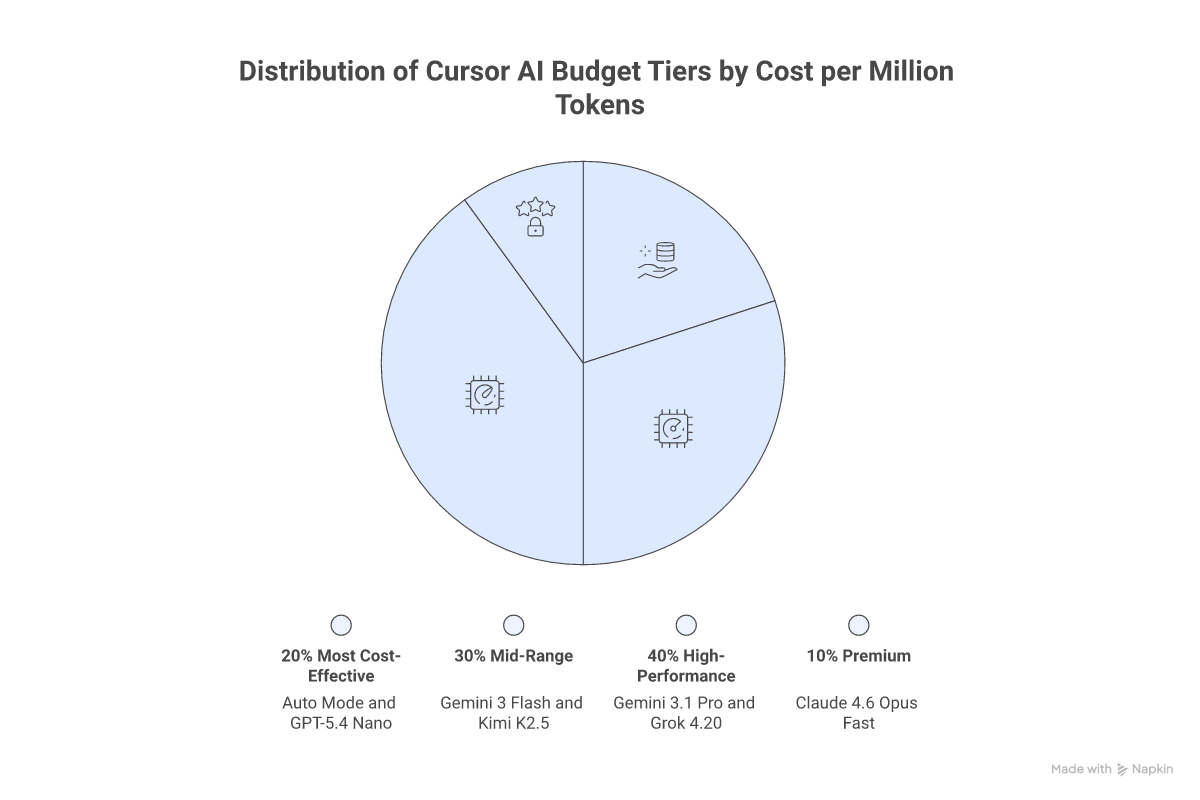
Most Cost-Effective Options
- Auto Mode: Unlimited usage on all paid plans — the best value
- Composer 2: $0.50/$2.50 per MTok — Cursor's purpose-built coding model
- GPT-5.4 Nano: $0.20/$1.25 per MTok — cheapest OpenAI option
- GPT-5 Mini / GPT-5.1 Codex Mini: $0.25/$2.00 per MTok — budget reasoning
- Gemini 2.5 Flash: $0.30/$2.50 per MTok — cheapest Google model
Mid-Range Options
- Gemini 3 Flash: $0.50/$3.00 per MTok — fast with 1M context
- Kimi K2.5: $0.60/$3.00 per MTok — affordable alternative
- GPT-5.4 Mini: $0.75/$4.50 per MTok — balanced GPT-5.4 variant
- Claude 4.5 Haiku: $1.00/$5.00 per MTok — fast Anthropic model
High-Performance Options
- Claude 4.6 Sonnet / GPT-5.3 Codex: $1.75-$3.00/$14-$15 per MTok — daily driver flagships
- GPT-5.4: $2.50/$15.00 per MTok — top-tier with configurable reasoning
- Gemini 3.1 Pro: $2.00/$12.00 per MTok — excellent value flagship
- Claude 4.6 Opus: $5.00/$25.00 per MTok — most powerful reasoning
- Grok 4.20: $2.00/$6.00 per MTok — great output pricing with 2M context
Premium Options
- Claude 4.5 Opus: $5.00/$25.00 per MTok — deep reasoning specialist
- Claude 4.6 Opus (Fast): $30.00/$150.00 per MTok — research preview, ultra-fast
Credit Pool Estimates (Pro Plan, $20/month)
Approximate requests per month based on typical usage:
- ~550 Gemini 3.1 Pro requests
- ~500 GPT-5.3 Codex requests
- ~225 Claude 4.6 Sonnet requests
- ~150 Claude 4.6 Opus requests
How to Switch Models and Enable Max Mode
Using Auto Mode (Recommended)
Auto mode lets Cursor intelligently select the best model for each task, balancing performance and cost. This is unlimited on all paid plans and is the most cost-effective way to use Cursor.
- Open the model picker below the chat input
- Select Auto from the model dropdown
- Cursor handles model selection automatically
Switching Models Manually
- In Chat Panel: Use the model dropdown below the input box
- Using Cmd/Ctrl+K: Access model dropdown in command palette
- In Terminal: Press Cmd/Ctrl+K and select model
- In Settings: Go to Cursor Settings > Models to enable hidden models
Enabling Max Mode
- Open the model picker
- Toggle "Max mode" switch
- Select a Max Mode compatible model
- Note: Max Mode adds a 20% upcharge on individual plans
Enabling Hidden Models
Many models are hidden by default. To access them:
- Go to Cursor Settings > Models
- Toggle on any hidden models you want to use
- They will appear in the model picker dropdown
When to Use Max Mode
Ideal for Max Mode:
- Complex debugging sessions requiring large context
- Large codebase refactoring across many files
- Architecture planning with full repository analysis
- Multi-file analysis and cross-reference tasks
- Deep problem exploration with extended reasoning
Stick with Standard Mode for:
- Routine coding tasks
- Simple completions and quick fixes
- Well-defined, scoped changes
- Tasks where Auto mode performs well
Privacy and Security
All models are hosted on US-based infrastructure by:
- Original model providers (Anthropic, OpenAI, Google, xAI)
- Cursor's trusted infrastructure
- Verified partner services
With Privacy Mode enabled:
- No data storage by Cursor or providers
- Data deleted after each request
- Full request isolation
Recommendations for Different User Types
For Beginners
- Start with Auto mode for optimal model selection at no extra cost
- Use Composer 2 for everyday agentic coding on a budget
- Try GPT-5 Mini or GPT-5.1 Codex Mini for affordable experimentation
- Enable Gemini 2.5 Flash for fast, cheap iterations
For Experienced Developers
- Claude 4.6 Opus for complex reasoning and large codebase analysis
- GPT-5.4 for configurable reasoning with 1M context in Max Mode
- GPT-5.3 Codex as a reliable daily driver for code generation
- Grok 4.20 for projects requiring massive 2M context windows
- Mix models based on task requirements and budget
For Teams and Organizations
- Auto mode as the default for consistent, cost-effective results
- Claude 4.6 Sonnet or GPT-5.3 Codex as primary manual-select models
- Gemini 3.1 Pro for balanced performance with native 1M context
- Max Mode selectively for complex architecture and codebase analysis
- Consider Pro+ or Ultra plans for power users, Pro for standard usage
Conclusion
The AI model landscape in Cursor has evolved dramatically since the shift to credit-based pricing, offering unprecedented flexibility and choice. From ultra-affordable options like Composer 2 and GPT-5.4 Nano to powerhouse models like Claude 4.6 Opus and GPT-5.4, there's a perfect model for every development scenario and budget.
Key Takeaways:
- Use Auto mode for unlimited, cost-effective AI assistance on any paid plan
- Leverage Composer 2 as Cursor's purpose-built model for everyday agentic coding
- Select Claude 4.6 Opus or GPT-5.4 for complex tasks requiring deep reasoning
- Take advantage of Max Mode for large context needs (up to 2M tokens with Grok 4.20)
- Enable hidden models in Settings to access the full lineup of 30+ options
- Consider Gemini 3.1 Pro for an excellent balance of capability and cost with native 1M context
- Budget-conscious developers can rely on GPT-5.4 Nano, Gemini 2.5 Flash, and GPT-5 Mini
The future of AI-assisted development continues to accelerate, and Cursor's comprehensive model lineup — spanning six providers and dozens of models — empowers developers to code faster, smarter, and more efficiently than ever before.